![xx-xperix-logo-square-w1200-shadows.jpg]](https://kb.xperix.com/hs-fs/hubfs/xx-xperix-logo-square-w1200-shadows.jpg?height=50&name=xx-xperix-logo-square-w1200-shadows.jpg)
Open RealScan Sample Application
Select the options as show in the figure to capture custom size of fingerprint and palm print using Custom Mode 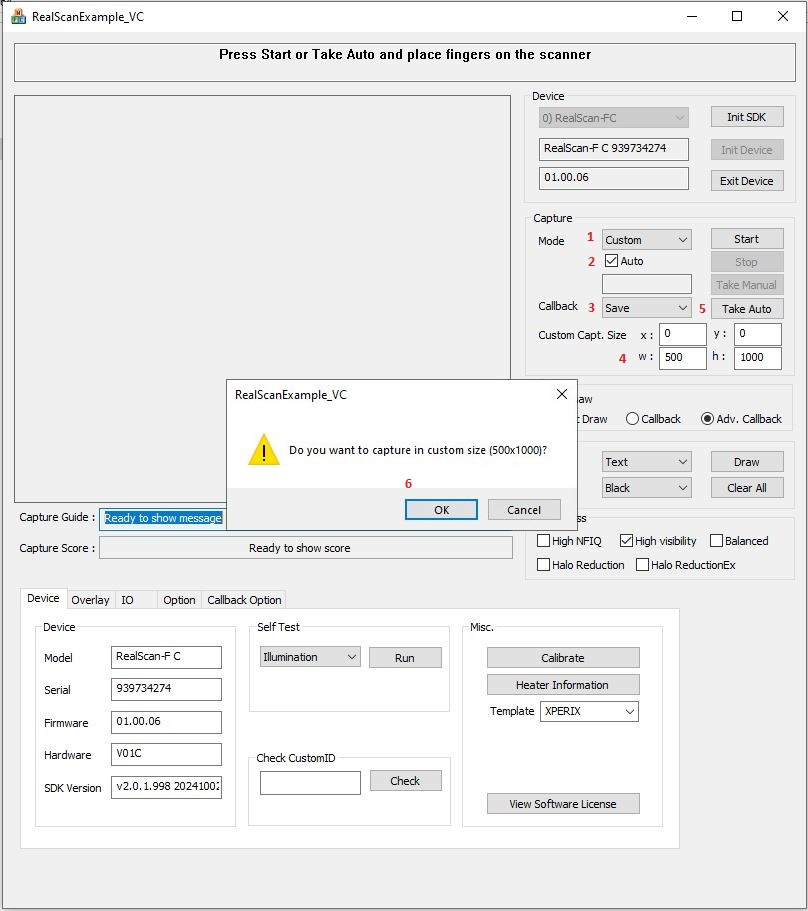
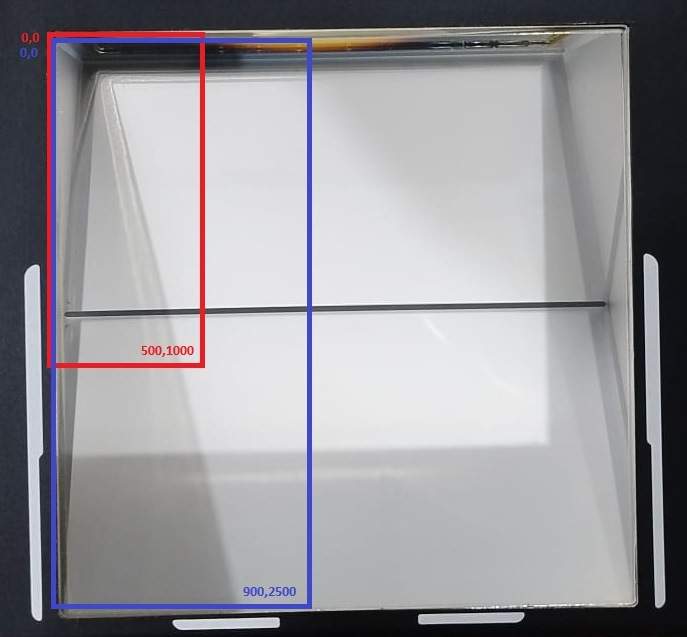
and put the fingerprint and palmprint on the scanner in marked area, marked area defined in custom size of sample application