| ! Note : we cannot supply following files because of GNU license. | |||||||||
| If you need them when you compile the application, please download and install it by yourself. | |||||||||
| libusb-1.0.so / libusb-1.0.so.0 / libusb-1.0.so.0.0.0 / libusb-1.0.la | |||||||||
| libcrypto.so / libcrypto.so.1.0.0 also others | |||||||||
| Compiling command for each of the platform. | |||||||||
| arm 64bit | |||||||||
| >make CFG=arm64 clean;make CFG=arm64 | |||||||||
| arm 32bit | |||||||||
| >make CFG=armv7 clean;make CFG=armv7 | |||||||||
| desktop 32bit | |||||||||
| >make CFG=x86r clean;make CFG=x86r | |||||||||
| desktop 64bit | |||||||||
| >make CFG=x64r clean;make CFG=x64r | |||||||||
| [How to test] | |||||||||
| I tested it on Ubuntu 18.04 x64. | |||||||||
| 1. Download HIDCpp. | |||||||||
| 2. Go to the directory where 20200119_HIDCpp.tar is downloaded and unzip it. | |||||||||
| tar -xvf 20200119_HIDCpp.tar | |||||||||
| 3. Go to the directory of the unzipped HIDCpp folder. | |||||||||
| 4. Compile HIDCpp. | |||||||||
| make CFG=x64r clean;make CFG=x64r | |||||||||
| 5. Compiled binary will be created in Bin/x86_64 folder. Go to the directory and check HidSample (compiled application) | |||||||||
| You can find the application’s dependencies with ‘ldd’ command. | |||||||||
| ldd HidSample | |||||||||
| 6. Now you will meet any sentence, ‘… => not found’. | |||||||||
| e.g. libCopyProtection.so.1 => not found | |||||||||
| 7. Please register environment variables like below. | |||||||||
| export LD_LIBRARY_PATH=$LD_LIBRARY_PATH:*path* | |||||||||
| e.g. export LD_LIBRARY_PATH=$LD_LIBRARY_PATH:/home/anna/Documents/SDKs/HIDCpp/Libraries/x86_64 | |||||||||
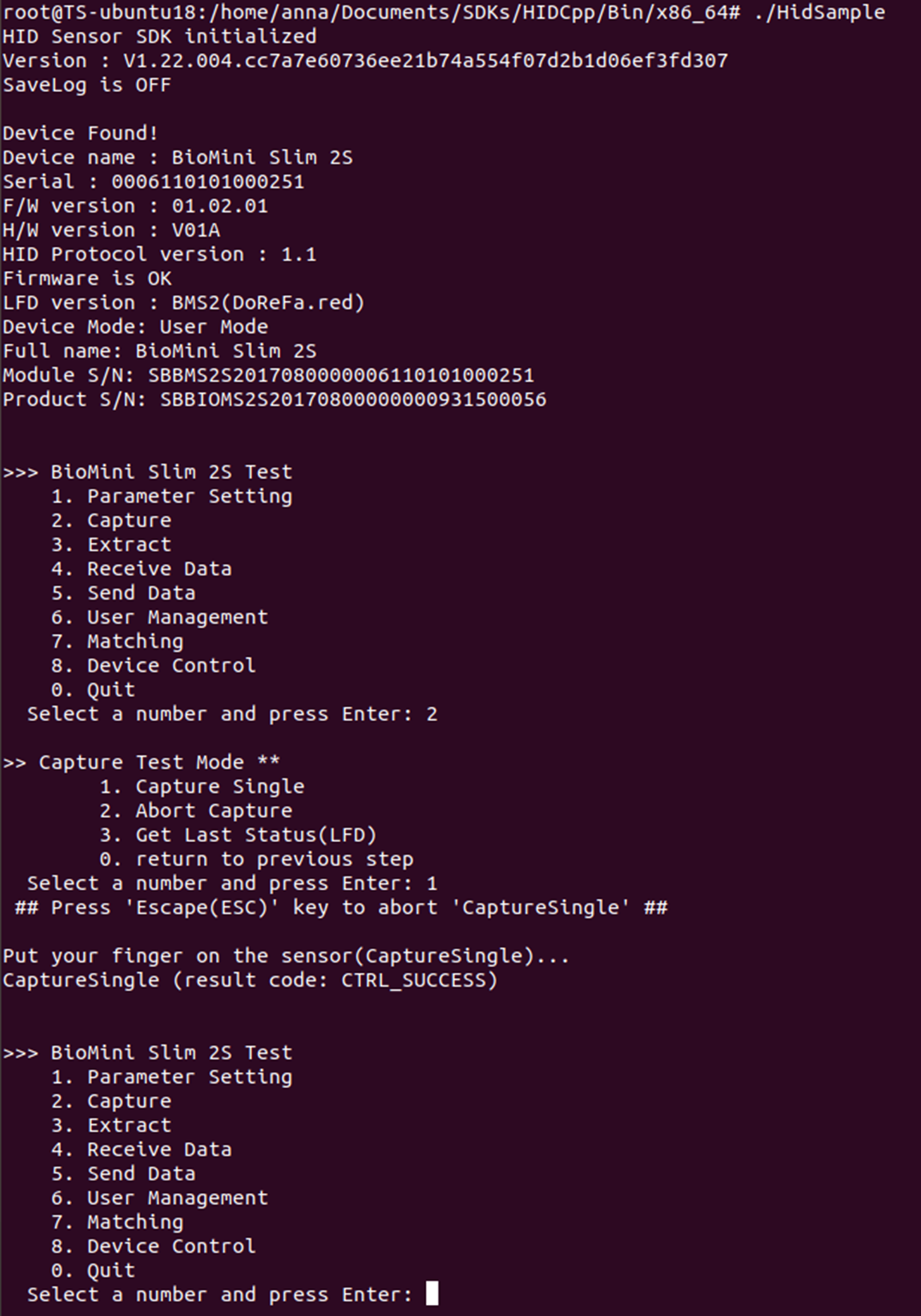
| 8. Run the application with connecting the device. | |||||||||
| ./HidSample | |||||||||
| 9. You can test the device as you wish from now on. (see the attached screenshot.) | |||||||||